
 Clevr Data
Checklist
Every line item in build order, with the approved price, your price, a box for what it actually cost you, estimated and actual hours, and who is doing it. Margin and the flag column update as you type.
SubCost
Drop in the PDF. Get back an Excel workbook with every line item at your pay split, a checklist you work off your phone in the empty house, margin flags on the lines that are eating you, and a change order request already filled in.
 SubCostsubcost.clevrdata.ai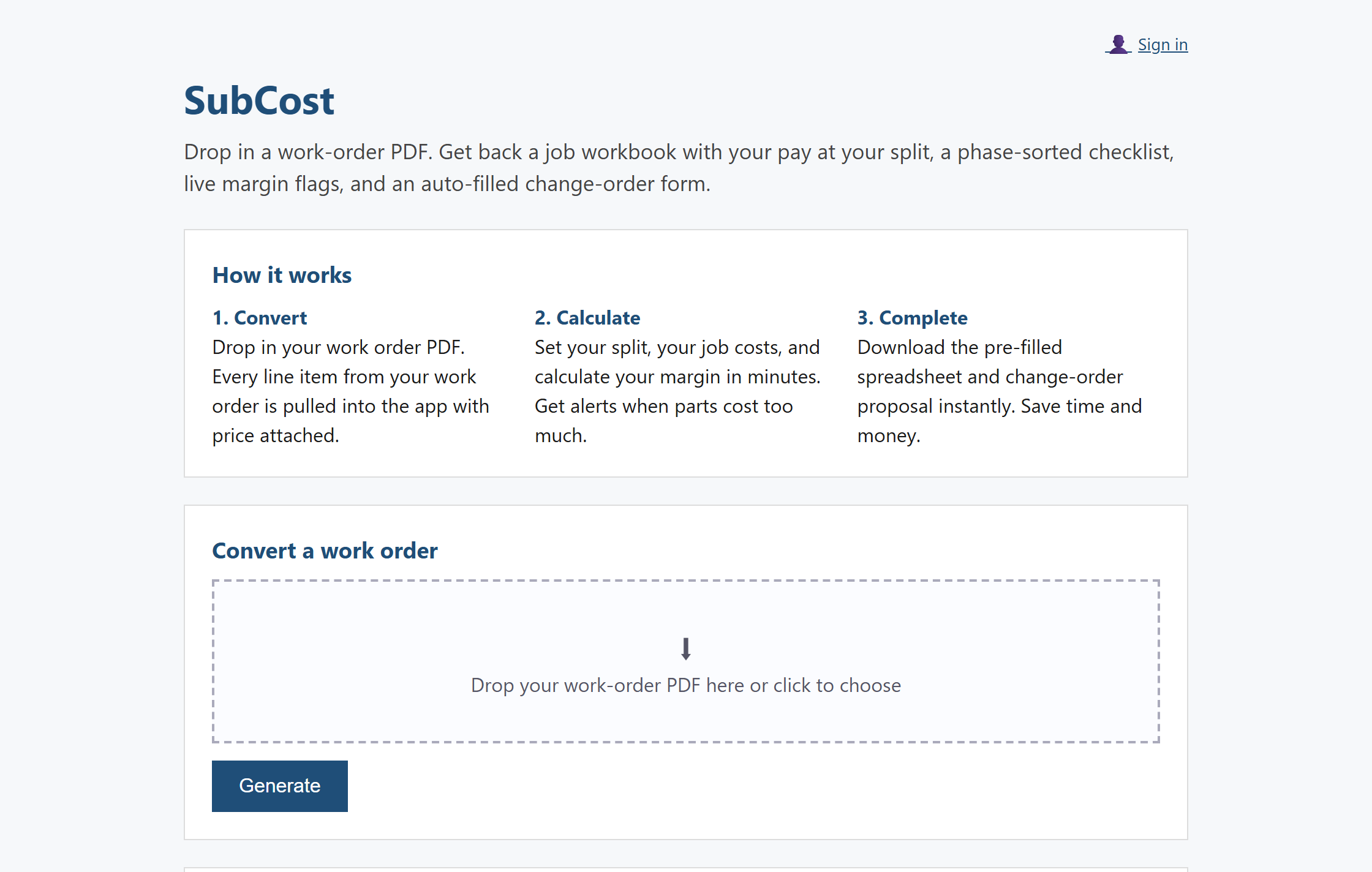
The live app at subcost.clevrdata.ai, captured 12 August 2026.
What it is
You turn units for a property manager. The work order arrives as a PDF, line item after line item, each carrying an approved price that is not your price, with the part that matters buried in the vendor instructions. Pricing it means reading the whole thing twice and retyping it into a spreadsheet you built yourself.
SubCost reads the PDF and hands back the spreadsheet. Every line comes across with its approved price, quantity, room, trade and vendor instructions, then gets multiplied by your split, so the number you are actually paid is on the page from the start. The split starts at 60 percent and it is one cell to change.
None of it is a black box. The parser is our own code, every figure downstream is an Excel formula you can click on, and the workbook checks its own line items against the total printed on your document before it hands you anything.
The workbook
One file per job. It opens on the Checklist, because that is the page you live in.
Every line item in build order, with the approved price, your price, a box for what it actually cost you, estimated and actual hours, and who is doing it. Margin and the flag column update as you type.
A clean scope page for the property manager: phases, item counts, hours and amounts. It ends with a line asking them to verify every item against the work order, and none of your costs appear on it.
Live totals by phase, by area and by trade. Underneath sits your own cost side, labour at your hourly rate plus estimated materials, kept deliberately off the Proposal.
Your working numbers. Any line you flag by entering a cost that eats the price stacks in here on its own, with the ask calculated at your actual cost plus 20 percent. You add the reason.
The page you send. Numbered items, location, approved price, requested price, the increase and your reason, with a totals row and a signature line for the project manager. It has its own print area, and none of your own costs are on it.
What you buy for this job, with the total flowing into the Summary. Pre-filled at what you last actually paid if you have imported an order history.
Your split, the change order warning threshold, the markup, your hourly rate, the trade to phase map and your crew list. Blue text on yellow means you can change it, and everything downstream recalculates.
In the empty house
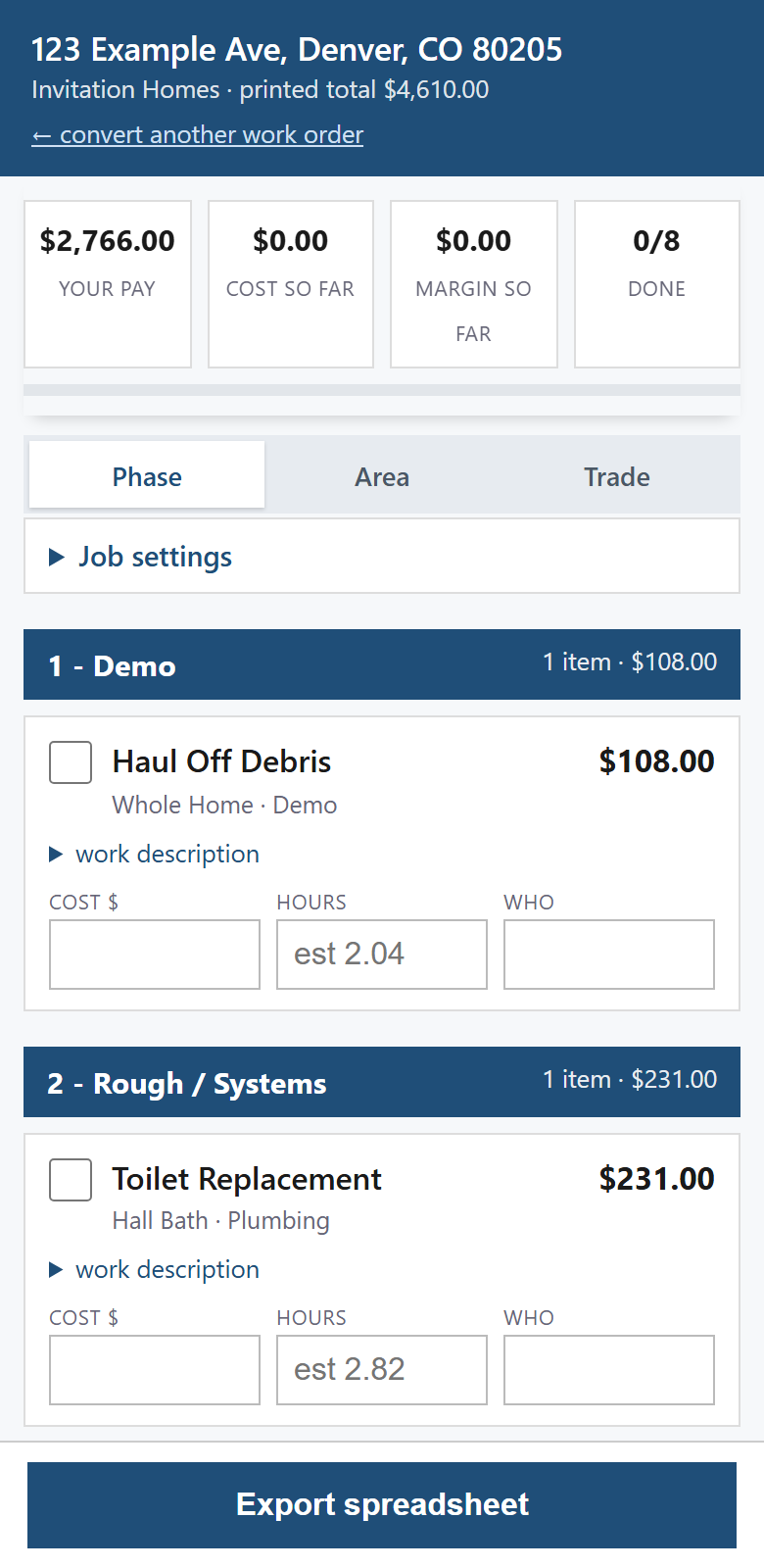
It is a web page, so it opens in whatever browser is already on your phone. Tick items off as they are done, type what each one actually cost you and how long it took, and the tiles at the top move as you go. Group the job by phase, by area or by trade, depending on whether you are walking the house or chasing one trade.
Everything you type in the driveway is the same job as the workbook. Press Export spreadsheet at the bottom and the Excel file comes down with your field numbers already in it.
Two things it does not do. There is no offline mode, so the page has to load over a connection and a basement with no bars is a problem. And there is no photo feature, so the pictures your property manager wants still go wherever they already go.
How it works
01
Your email address, no password. An email arrives with a six digit code and a link, either one gets you in, and that is the whole sign-up.
02
The work order is read in memory. It is never written to disk, and a recognised layout never leaves our server.
03
Open the checklist on your phone in the empty house. Tick, cost and time each line as you go.
04
Export the workbook. The Proposal goes to the property manager, the Change Order Form goes with it if a line blew up.
What is actually checked
So the product is built to catch itself being wrong, and to say so where you cannot miss it.
Invitation Homes work orders print a grand total. We add up every line item we read and compare it to that printed figure. Disagree by a cent and the workbook opens with a red banner telling you to go line by line against the PDF before you bid.
If a layout we recognise prints no grand total at all, that is a format change, not a pass. You get a different red banner saying nothing was checked against this workbook, and the outgoing sheets label themselves drafts.
Uploads are held in memory and processed there. The threshold that would normally spool a large upload to a temporary file is raised past the upload limit on purpose, so the promise holds all the way to the thirty megabyte ceiling and not just for a small file.
The parser, the workbook formulas, the price book column matching, the billing paths and the wording of the claims on the product's own pages all have automated tests, and they run before anything ships. There is no test count printed here on purpose: it would be wrong the next time anybody commits, and nothing on this page could keep it honest.
Pricing
The trial is not a smaller-priced version of the subscription, it is a smaller allowance of the same product, so the two are listed apart. Nothing below is different in quality, only in how much of it you get.
The free trial
The subscription, once you decide
$69 per month
Start the free trialAfter the trial it renews every month until you cancel. Cancel in one step from the billing page and you keep access to the end of the month you have paid for.
Straight answers
Today one layout has a parser of its own: Invitation Homes. That is the honest number and it is one. Everything else goes through an automatic read that you approve per document. Send us two or three real work orders from the company you sub for and that layout gets a parser too, which is the only thing standing between an operator and the recognised list.
Neither do we, which is why the workbook checks itself against the total printed on your own document and shouts when they disagree. Every figure downstream of the parse is an Excel formula you can click on, not a pasted value, and the Proposal tells whoever receives it to verify each line against the work order.
It is, at $69 a month, month to month, and $69 is the whole of it. So the trial is ten real work orders over fourteen days with no card, which is enough to price a couple of turns and see whether the workbook is the one you would have built. Cancelling is one step.
This is why the product is shaped the way it is. A recognised layout is parsed by our code on our server and the text goes nowhere else. The document itself never hits the disk on either path. For an unrecognised layout you tick a box for that one document confirming you have the right to have it read, and the answer is never remembered. If your vendor agreement rules it out, switch automatic reading off for the account and no upload can turn it back on.
FAQ
One layout has a parser of its own: Invitation Homes. Those are read by our own code, on our own server, and the document text never leaves it. Any other layout has to go through an automatic read, which you approve for that one document.
You get a dialog saying we do not recognise it, and a tick box for that single upload. Ticking it sends the text of that document to our AI provider, Anthropic. A subscription includes 25 of those reads a calendar month and no more than 6 in one day; the free trial includes three. The same allowance covers one other thing: importing a supplier price book whose column names are ones we do not know spends a read too, though only the column headings go out, never the prices you paid. The read only produces a workbook if the items it found add up to a total that is literally printed on your PDF and every item was read with high confidence. Otherwise you get a review table to correct, because a spreadsheet of unverified prices reads as authoritative and should not exist.
That question is exactly why consent is asked per document rather than once at signup. A recognised layout is parsed on our server and its text goes nowhere else. The document is never written to disk on either path. For an unrecognised layout you tick a box confirming you have the right to upload that document and have its contents read, and the answer is never remembered, so the next document gets asked again. You can also switch automatic reading off for the whole account, server side, and no upload can turn it back on.
From an order history you export from your own supplier account and upload as a CSV or spreadsheet. The columns are worked out by what they look like rather than by a per-vendor template, so it does not matter whose export it is. Nothing is scraped from anyone's website, there is no shared pricing database, and the prices in your workbook are the ones you last actually paid. If your export uses column names we do not recognise, working them out spends one automatic read from the same allowance an unrecognised work order comes out of, and what goes out is the column headings and the shape of the file. Never a price you paid.
No. It is a web page, so it has to load over a connection, and there is no offline mode. Once it is open, what you type is held in that browser and syncs back to your account.
$69 a month, and $69 is what the card is charged. The trial is ten work orders over fourteen days with three automatic reads in it, it takes no card, and it does not turn into a paid subscription by itself. Once you subscribe it renews monthly until you cancel, and you cancel in one step from the billing page.
The PDF itself is not. It is processed in memory and never written to disk, on either path, and a recognised layout is parsed on our server and goes nowhere else. Two things are kept, and they are not the same thing. When you build a work order through the review screen after an automatic read, one audit row is written and held for three years: a one-way digest of the file name rather than the name, how many line items you approved, what they added up to, what your document printed as its total, whether those two figures agreed, and whether you ticked the box saying you knew they did not. That row carries no line items, no address and no document. It is the evidence that you saw these numbers before you used them, which is the part of the User Agreement that protects you.
Separately, once you are signed in the job you are working on is saved to your account, and that one does hold the property address and the line items, along with the costs and hours you type in. That is what makes a job open on your phone in the driveway and on the office computer both, and there is no way to have the second without the first. You can download every job you have saved, or delete the lot, from the home page.
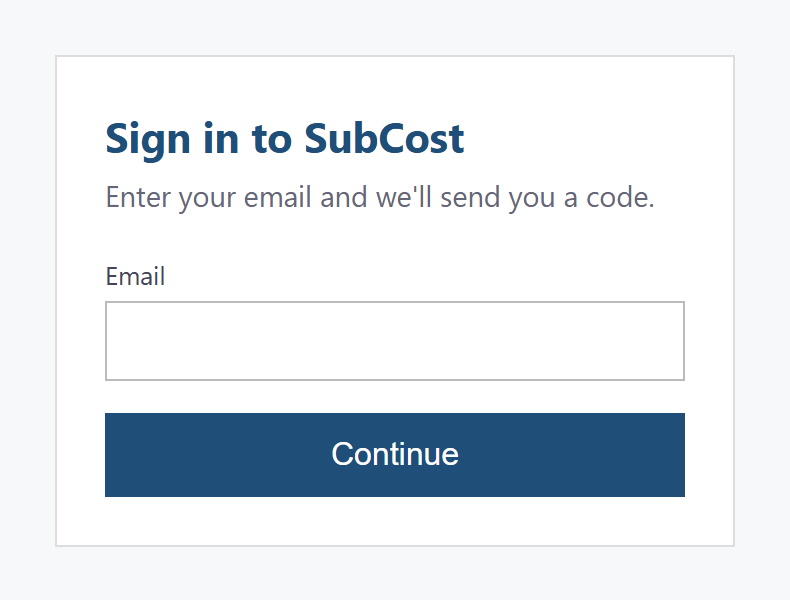
One email address, no password and no card. A code arrives, you type it, and you land on the page you drop the PDF into.
SubCost is a product of CLEVR Data LLC. It is not affiliated with, endorsed by or sponsored by any property management company. Company names are used only to identify document formats and belong to their owners.